

Sign In App Templates
Meeting Sign In App
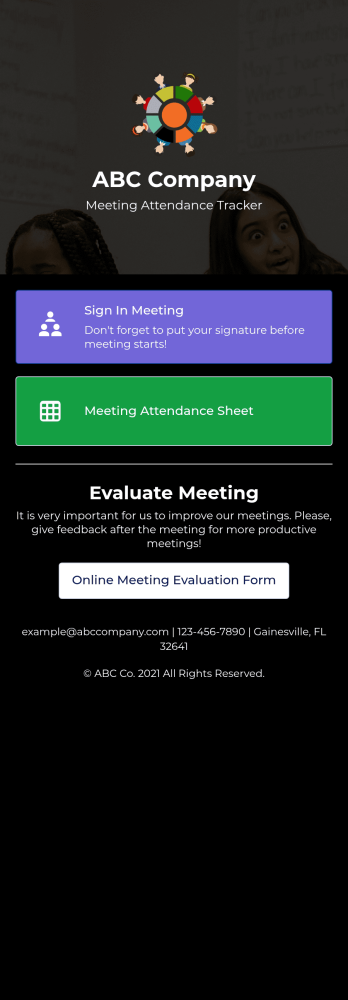
Track meeting attendance for your company with Jotform’s Meeting Sign In App. Employees or HR professionals can download the app for free to sign into meetings, leave feedback, and view your attendance sheet. All submissions are easy to view and manage in Jotform Tables, and kept secure with Jotform’s advanced security measures.Need to customize the app? Drag and drop to add more forms or spreadsheets, include your company logo, select a new icon or splash screen, and make other design changes with no coding knowledge needed. You can copy and paste the app link to share your custom Meeting Sign In App with employees, who can then save it to their smartphone, tablet, or computer in a single click for quick access to your forms!
Go to Category:Sign In Apps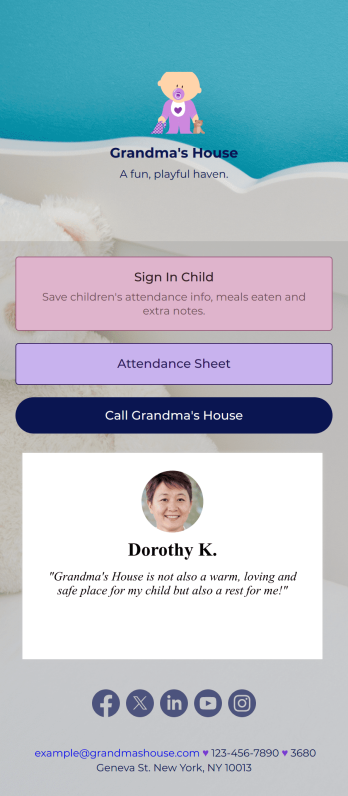
Childcare Sign In App
Need a better way to collect information for your daycare center? Do it with Jotform’s free Childcare Sign In App! Employees at your daycare can enter important details like each child’s attendance, time in and out, meals eaten, and more. All information is securely stored in your Jotform account and easy to view in Jotform Tables as spreadsheet, calendar, or individual cards.Make this free app match your daycare by adding your logo, updating the icon or splash screen, including extra forms to track other information, and making other changes to make it work better for you — all without coding! The app can then be shared with a link and saved to each employee’s device for easy access. Make paper forms a thing of the past and track data with a Childcare Sign In App.
Go to Category:Sign In Apps
Volunteer Sign Up App
A volunteer signup app is a mobile app that businesses, schools, or programs can use to collect volunteer signups. With a free Volunteer Signup App template from Jotform, you can easily connect with volunteers, schedule their appointment times, collect waivers, and more. You can even collect donations with one of our 30+ payment gateways! All submissions made in the app will be stored securely in your Jotform account — ready to view, edit, or share on any device.Need your Volunteer Signup App to match your company branding? Not an issue. Use our simple drag-and-drop app builder to make design changes like choosing fonts and colors, uploading branding logos and assets, changing your app’s icon and backsplash, and more — all without coding. Streamline your volunteer activities with a custom app from Jotform Apps.
Go to Category:Community & Engagement Portal Apps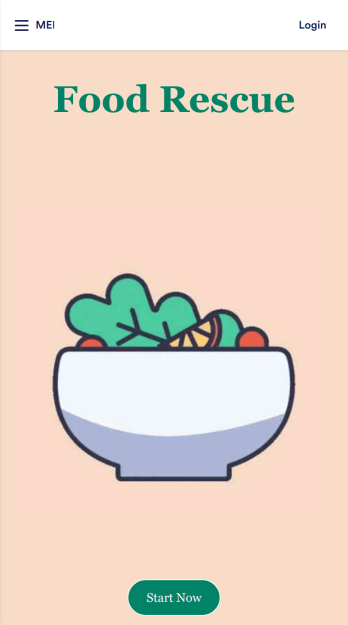
Food Waste App
Run a nonprofit organization that deals with food waste? Take action to prevent food waste and donate food to charitable organizations with this free Food Waste App from Jotform. Send food requests and schedule pickup times and locations with restaurants, airports, and catering companies by filling out online forms. Responses are stored in your secure Jotform account to be viewed and shared within your organization.Make this Food Waste App your own without any coding knowledge. Drag and drop to add or change form fields and checklist items, create new pages, choose fonts and colors, upload your organization’s unique branding, install helpful widgets and integrations, and much more. After you’re finished, share your app by sending email invites or the app link to businesses. Prevent food waste and help those in need with a fully-customizable Food Waste App that works on any device.
Go to Category:Booking Apps
Beauty Contest App
Manage all your future beauty contests from one easy to use space with Jotform’s free Beauty Contest App. Both management and contestants can utilize your app for viewing and submitting applications as well as sending and receiving contest information. Set up payment forms, send schedules out, and more – all from one centralized place. All contestant submissions and payments will be kept in your Jotform account so all judges and managers can access the data from any device.Make your app as unique as your contestants with our free drag-and-drop app builder. Change up the fonts and colors, upload your own app image, change your layout, and more – no coding knowledge required. You can even integrate with hundreds of widgets and payment processors to make your next beauty contest a breeze. Embed your app’s link in your website or send a direct download link via email or a QR code. Everyone’s a winner with Jotform’s free Beauty Contest App.
Go to Category:Entertainment Apps
Giveaway App
Giveaways are a great way to boost interest and engagement with your business. If you’re hosting giveaways frequently, Jotform’s free Giveaway App will make it easier for participants to enter your giveaways from any device. This customizable mobile app includes a homepage with contest rules, an entry form, and an FAQ page. Participants can download your app onto any computer, tablet, or smartphone for easy access. All submissions will be received instantly and stored in Jotform Tables. Want to customize this Giveaway App for your business? No coding needed — just drag and drop to add forms, tables, links, images, and other elements to your app. When it’s ready to share, post the app link on your website or social accounts. Site visitors or social media followers can then open and save your Giveaway App onto their favorite device and enter your contest in just a few clicks!
Go to Category:Entertainment Apps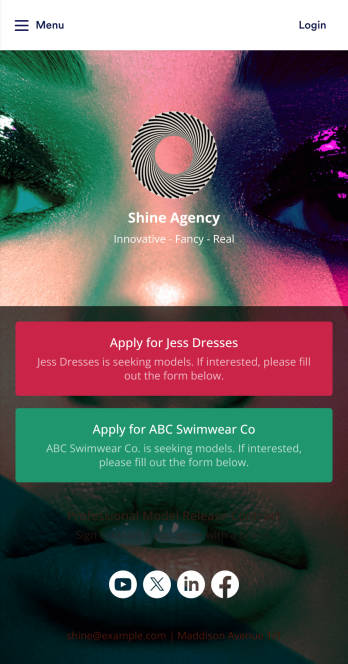
Model Release App
A model release form ensures that a photographer has permission to take and use a model’s image for commercial use. Find models for your agency easily with our free and customizable Model Release App! Prospective models can use the app to submit their applications and sign your Professional Model Release Contract from any device. Submissions will be received instantly and stored in your secure account, which you can manage on the go with the Jotform Mobile Forms app.Customize your Model Release App in just a few clicks. Our drag-and-drop interface makes it easy to create and add new forms, include links and images, and update the app design to match your branding. When it’s ready, share your app by embedding the link in your website or sending it to models directly. Get the e-signatures you need and manage models more efficiently with a custom Model Release App for your agency.
Go to Category:Sign In Apps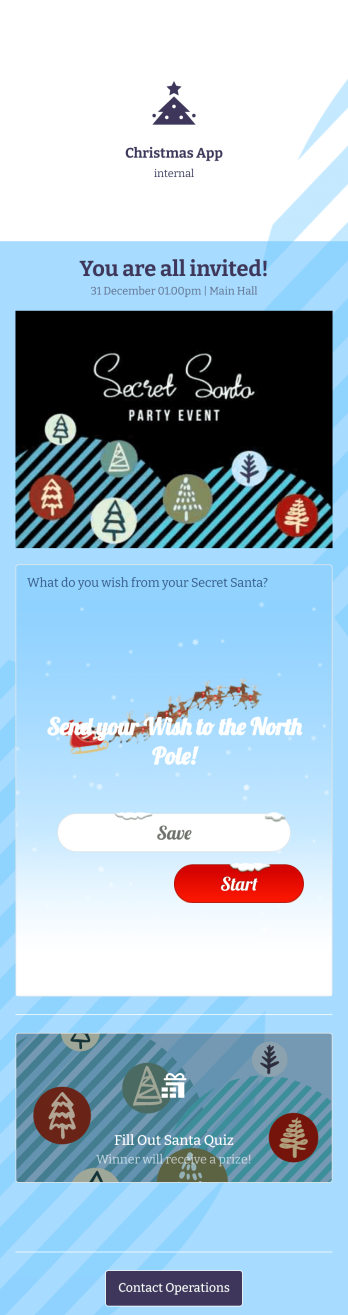
Christmas App
Planning holiday events for your company or organization? Get started with Jotform’s free Christmas App for internal use! This premade app template includes an event invitation and Secret Santa form that your employees or coworkers can fill out using any device. Submissions will be received instantly and automatically synced to your secure Jotform account, where you can view responses in a spreadsheet, calendar, or as cards. Get into the holiday spirit by customizing this Christmas App for your company! In just a few clicks, our drag-and-drop builder lets you add forms, pages, links, photos, and other app elements to the template. You can even change the app fonts, colors, name, icon, and splash page to better represent your branding or event. When your app is ready to be shared, send it to others via app link or email invite. Make event planning a breeze this holiday season with a fully-featured Christmas App made just for your company!
Go to Category:Entertainment AppsAbout Sign In App Templates
Sign In Apps are versatile mobile and web applications designed to streamline user authentication and registration processes across various industries. These apps play a crucial role in enhancing the efficiency of guest management, employee check-ins, and event registrations, offering businesses an organized way to track and manage attendance while ensuring data accuracy. Industries such as healthcare, education, and event management frequently rely on Sign In Apps to facilitate seamless user experiences, optimize operational workflows, and maintain secure data handling procedures.
Jotform Apps serves as the ideal no-code app builder for creating Sign In Apps, thanks to its user-friendly interface and reliance on Progressive Web App (PWA) technology. This approach allows users to install apps directly via their browser without the need for App Store downloads, ensuring broad compatibility across iOS, Android, tablets, and desktops. Centralized data management through Jotform Tables further supports efficient data handling, enabling organizations to streamline their workflows while maintaining easy access to real-time information.
Why Use Sign In Apps?
- Sign In Apps promote a streamlined check-in process, minimizing manual paperwork and reducing the likelihood of human error. By digitizing attendance and registration, businesses can ensure that data is collected accurately and efficiently, enhancing overall operational productivity.
- These apps provide a centralized platform for monitoring and managing visitor data, making it easier for organizations to maintain compliance with data protection regulations. With secure data storage and access, businesses can confidently manage sensitive information without risk of unauthorized access.
- By leveraging Sign In Apps, companies can improve their visitor experience, offering a modern, user-friendly interface that facilitates quick and hassle-free check-ins. This approach not only enhances customer satisfaction but also projects a professional image to clients and partners.
- The integration of Sign In Apps with existing business systems allows for seamless workflow automation, reducing administrative burdens and freeing up resources for more strategic tasks. This integration can lead to significant cost savings and improved resource allocation.
- With real-time data updates and analytics, Sign In Apps provide valuable insights into visitor trends and behaviors, enabling businesses to make informed decisions and tailor their services to meet customer needs more effectively.
Common Problems Solved by Sign In Apps
- Manual sign-in processes often result in spelling errors, lost data, and inefficient data retrieval. Sign In Apps eliminate these issues by digitizing and automating the check-in process, ensuring that all information is accurately captured and easily accessible.
- Compliance with data protection regulations can be challenging when handling physical sign-in sheets. Sign In Apps provide a secure, GDPR-compliant platform for data management, helping organizations adhere to legal requirements and safeguard sensitive information.
- High visitor volumes can overwhelm traditional sign-in methods, leading to long wait times and frustrated guests. Sign In Apps streamline the process by allowing multiple users to sign in simultaneously, significantly reducing wait times and enhancing the visitor experience.
- Organizations often struggle with maintaining accurate visitor records, especially during events or peak periods. Sign In Apps offer automated data synchronization and centralized storage, ensuring that records are consistently up-to-date and readily available for review.
- Managing visitor data manually can be labor-intensive and prone to errors, impacting overall efficiency. Sign In Apps automate data collection and processing, freeing up valuable staff time and resources for more critical business tasks.
Matching Use Cases to Features
- In event management, quick and efficient attendee registration is crucial. The Drag-and-Drop Interface of Jotform Apps allows event organizers to customize their Sign In App to suit specific event needs, ensuring a seamless registration experience that enhances attendee satisfaction and streamlines operations.
- For healthcare facilities, the ability to manage patient check-ins efficiently is paramount. The centralized data feature in Jotform Tables ensures that patient information is easily accessible and securely stored, facilitating smooth operations and improved patient care.
- Retail environments benefit from Sign In Apps through enhanced customer engagement. By utilizing Push Notifications, businesses can send targeted messages and updates to customers, fostering increased interaction and loyalty.
- Corporate offices that require secure and controlled access can utilize the Publish Options feature, enabling them to restrict app access to company-only users. This ensures that only authorized personnel can access sensitive areas, enhancing security and data protection.
- In sectors like education, where attendance tracking is vital, Workflow Automation can be a key feature. By automating the check-in process, educational institutions can efficiently manage student attendance records, reducing administrative workload and improving data accuracy.
- For businesses looking to monetize their Sign In Apps, Payment Integrations with platforms like Stripe and PayPal offer a seamless way to collect payments directly through the app. This capability is essential for events, memberships, or any service requiring payment processing.
- The Offline Mode feature is particularly beneficial for industries operating in areas with unreliable internet connections. This allows data to be collected and stored offline, ensuring continuity of operations and data integrity even without internet access.
How to Create a Sign In App
- Choose a category-relevant template from the Template List or start from scratch.
- Customize using the Drag-and-Drop Interface.
- Share via Link, QR Code, or Embed.
Top Use Cases for Sign In Apps
- For Managers: Managers can utilize Sign In Apps to gain comprehensive insights into attendance and visitor patterns, enabling data-driven decision-making. By streamlining the check-in process, managers can allocate resources more effectively, ensuring that staff is deployed where they are most needed. This efficiency not only improves operational workflows but also enhances the overall productivity of the organization.
- For Teams: Sign In Apps empower teams by providing them with a reliable and efficient method for tracking attendance and managing visitor data. These apps facilitate seamless collaboration by ensuring that all team members have access to up-to-date information, fostering a cohesive work environment. Additionally, teams can leverage the data collected to identify trends and optimize team performance.
- For Customers: Customers benefit from the convenience and speed of Sign In Apps, which offer a hassle-free check-in experience. The user-friendly design and quick processing times enhance customer satisfaction, making interactions with the business more enjoyable. Moreover, by receiving real-time updates through the app, customers remain informed and engaged, contributing to a positive brand experience.
Summarizing Sign In Apps
Sign In Apps offer significant business value by enhancing operational efficiency, improving data accuracy, and ensuring compliance with data protection regulations. These apps streamline the check-in process, reducing administrative burdens and freeing up resources for more strategic initiatives. By utilizing Jotform's no-code app builder, organizations can create customized Sign In Apps that cater to their specific needs, ultimately leading to improved customer satisfaction and better overall performance.
Frequently Asked Questions
1) Is it free to create and use Sign In apps on Jotform?
Jotform offers a Starter plan that allows users to create and use Sign In apps at no cost, making it accessible for businesses of all sizes. The free plan includes essential features to get started with building and deploying apps, though there are limitations on form submissions and storage capacity. For businesses requiring more extensive capabilities, Jotform offers several paid plans that provide additional features and support.
2) Are the data and payments collected through the app secure?
Yes, Jotform ensures that all data and payments collected through its apps are secure, adhering to industry standards for data protection and privacy. The platform is compliant with GDPR regulations, providing peace of mind to users regarding the security of their information. Jotform also employs encryption and other security measures to safeguard sensitive data and prevent unauthorized access.
3) Do I need any coding skills to create a Sign In app with Jotform?
No coding skills are needed to create a Sign In app with Jotform. The platform's intuitive Drag-and-Drop Interface allows users to easily customize their apps without any technical expertise. This no-code approach enables businesses to quickly develop and deploy apps tailored to their specific needs, enhancing operational efficiency and reducing development time.
4) Can I collect payments for services directly through the app?
Yes, Jotform provides Payment Integrations with popular platforms such as Stripe and PayPal, enabling businesses to collect payments directly through their Sign In apps. This functionality is particularly beneficial for events, memberships, or services that require payment processing, offering a seamless and convenient way for customers to complete transactions.
5) Does Jotform support offline data collection for Sign In apps?
Jotform supports offline data collection through its Mobile Forms feature, allowing Sign In apps to function even without an internet connection. This capability is essential for businesses operating in areas with unreliable connectivity, ensuring continuity of operations and data integrity. Once the device reconnects to the internet, the collected data is automatically synced with the main database.
6) Are Jotform Apps compatible with both iOS and Android devices?
Yes, Jotform Apps are designed to be compatible with both iOS and Android devices, leveraging Progressive Web App (PWA) technology. This ensures that users can access and utilize apps seamlessly across various devices, providing a consistent and reliable experience regardless of the platform. The ability to install apps directly from the browser without an App Store enhances accessibility and user convenience.
7) How can Sign In Apps enhance security in corporate environments?
Sign In Apps enhance security in corporate environments by providing a controlled and monitored check-in process, ensuring that only authorized personnel have access to certain areas. With features like Publish Options, organizations can restrict app access to company-only users, further protecting sensitive information and facilities. This control helps prevent unauthorized access and enhances overall security protocols.
8) Can Sign In Apps be integrated with existing CRM systems?
Yes, Sign In Apps can be integrated with existing CRM systems, allowing for seamless data flow and enhanced customer relationship management. This integration ensures that visitor and customer data collected through the app is automatically updated and accessible within the CRM, enabling businesses to maintain a comprehensive view of their interactions and improve customer service.